You’ve tried ChatGPT once or twice
You know the tools exist, but you couldn’t name a work task where AI saves you time.
A guide by Alex Grankin
Choose the right AI tools, brief them like a new colleague, and build them into the work you do every week.
14-day refund if you’ve opened two chapters or fewer.
Already have access? Log in
Who it’s for
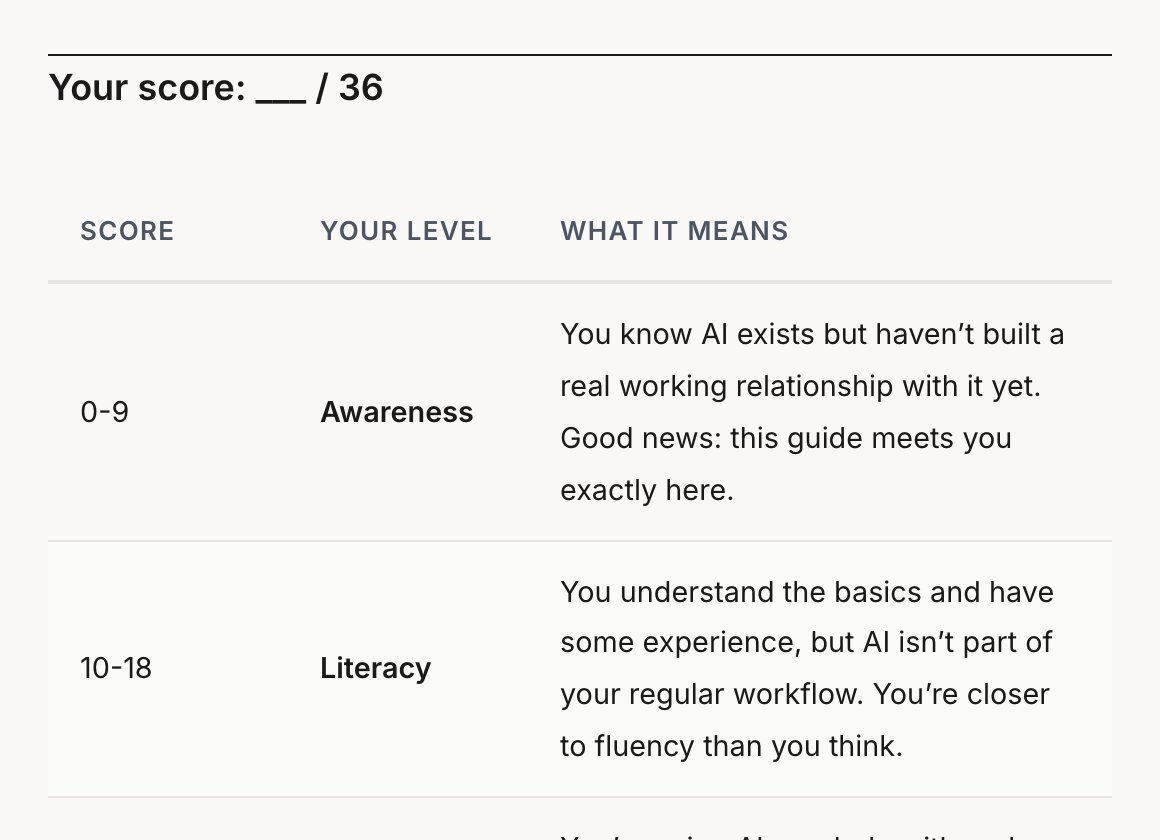
Chapter 1 opens with a 12-question self-assessment that places you on one of four levels. The guide takes you to the third: AI in your work every week, and the judgment to know when to trust it.
You know the tools exist, but you couldn’t name a work task where AI saves you time.
You know the main tools and have a saved prompt or two, but you reach for AI when someone suggests it, not on your own.
The guide sharpens what works and fills the gaps: checking AI output, workspaces, connected tools and agents.
No code and no Terminal: everything happens in apps like Claude, ChatGPT and Gemini. If you want to build your own tools with AI, that’s Build With AI.
Look inside
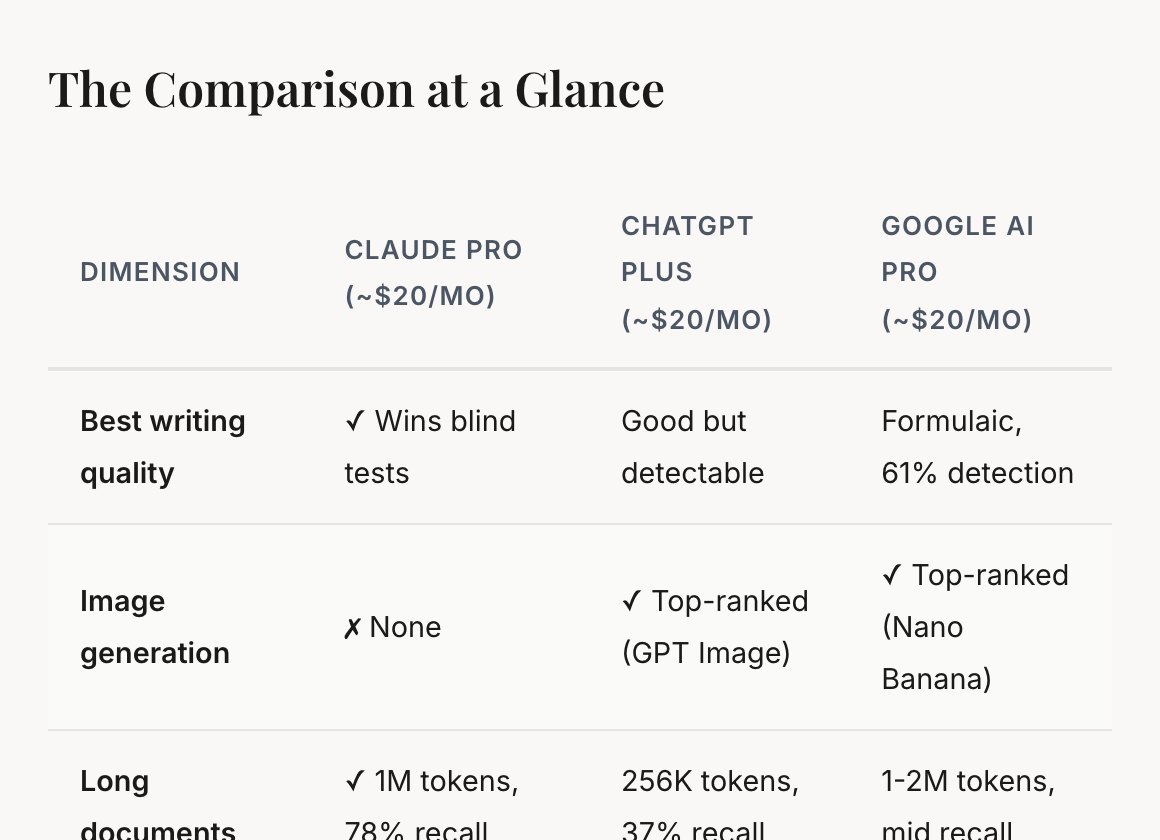
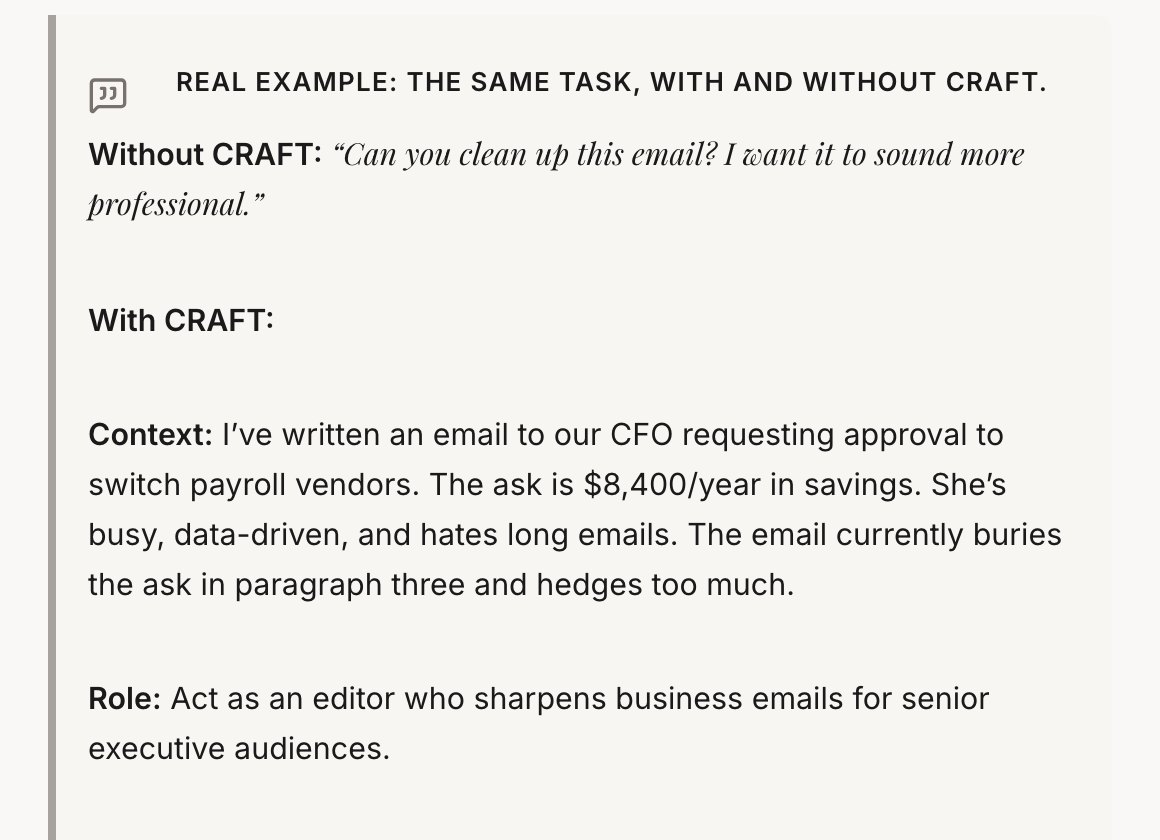
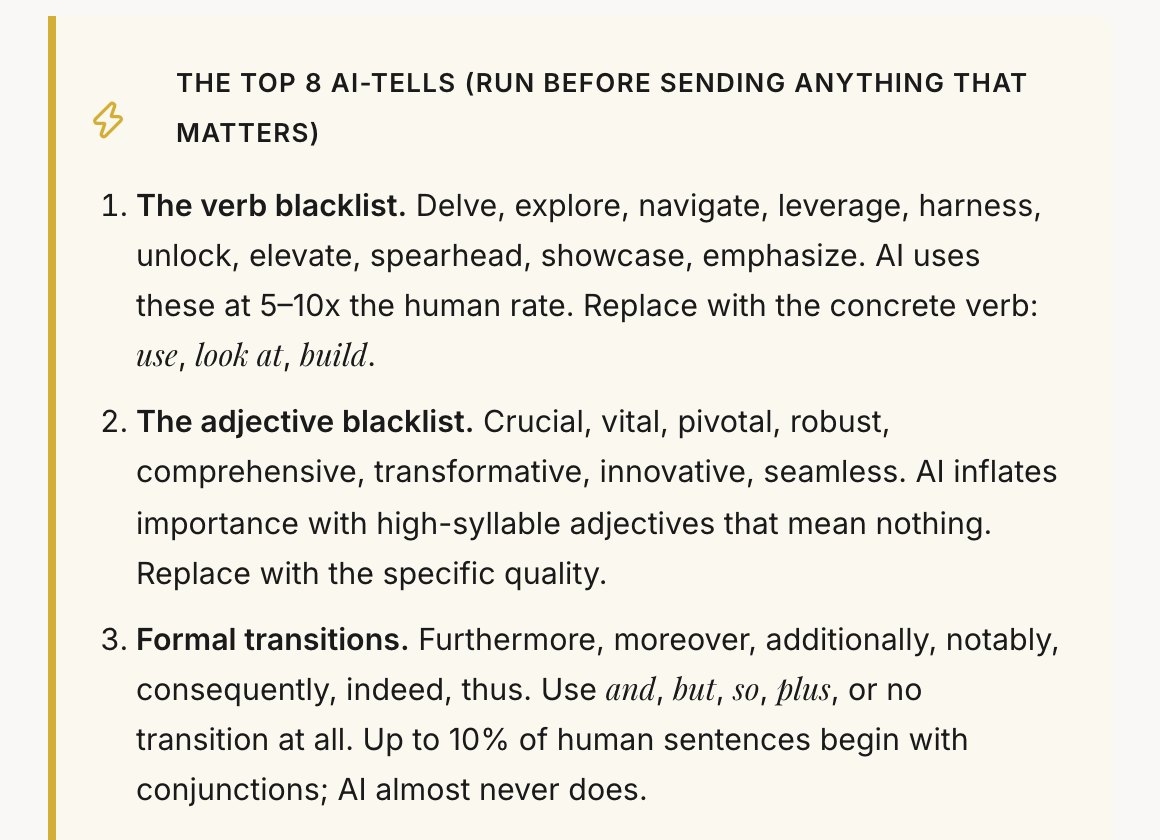
Nothing here was made for this page. The example below is live, so you can click it.
Free chapter
The chapter the rest of the guide builds on. You’ll finish with a structured prompt for one of your own tasks and five patterns you can reuse the same day. If it works for you, the other ten will too.
Sent
Check your inbox
The link to chapter 3 is on its way to . It comes from hello@theaibridges.com, so check Promotions or spam if it isn’t there in a minute.
What’s inside
Every chapter adds an entry to your Workflow Journal, so you finish with a reference document you use at work.
You finish withYour level on a 12-question self-assessment, and the five tasks that take up most of your week.
You finish withYour starting set of AI tools and a monthly budget for them.
You finish withA structured prompt for one of your own tasks, and five patterns you can reuse.
You finish withThree workflows from your own week rebuilt with AI, with before-and-after times.
You finish withA one-page brief on a real decision you’re facing this month.
You finish withYour own checklist for checking AI output before it leaves your hands.
You finish withOne AI workspace set up for the way you work.
You finish withOne connector switched on and one scheduled task running.
You finish withYour first agent run on a real task, and three tiers for deciding what’s safe to hand over.
You finish withYour first reusable Skill, built from start to finish.
You finish withA 90-day plan, and five news sources that fit into 20 minutes a week.

Who wrote it
I make videos on YouTube about which AI tools are worth paying for and how to get real work out of them. Before that I spent eight years across McKinsey, enterprise software and frontier AI.
In chapter 7 I walk through how I set up a new project in my own AI workspace, step by step.
Three of my videos
From readers of my other guide, Build With AI
“A friend recommended the ‘Build with AI’ Claude Code guide, and it changed how I work. Within a few weeks I was building skills, creating agents, and connecting MCPs for investment due diligence.”
 Oleg PavlovskyyInvestment Analyst & Founding Partner, Stockholm-based hedge fund
 Oleg and I have since started working together on AI tools for investment funds.
“I never imagined that it would be useful in my day-to-day life or that I would ever be making graphics, websites, or simple apps in the matter of days.”
 Augustus Otto KindelStrategy, Top 10 US Bank
 Questions
No. Everything in the guide happens in AI chat apps and desktop apps such as Claude, ChatGPT and Gemini. You won’t write code or open a Terminal. If you can write an email, you can do every exercise.
You can start on the free plans: the tool test drive in chapter 2 uses the free versions of Claude, ChatGPT and Gemini. For daily work the guide recommends one paid plan at about $20 a month, and chapter 2 shows what each budget from $0 to about $100 a month gets you. Claude Cowork, in chapter 8, needs a paid Claude plan.
Mostly Claude, ChatGPT and Gemini, with Microsoft Copilot, Perplexity and NotebookLM in chapter 2. Chapter 8 covers Claude Cowork, connectors and scheduled tasks, and chapter 9 covers agents such as Manus, Perplexity Computer, Claude in Chrome and OpenClaw. What you learn carries over to whichever tool you end up using.
About 6 hours of reading across 11 chapters of 20 to 45 minutes each, plus 27 exercises. The exercises in chapters 1 to 4 take 1 to 10 minutes. Most later chapters end with a bigger one, from 30 to 90 minutes, done on your own work.
This guide is about using AI tools in the work you already do, with no code. Build With AI teaches you to build working tools and websites by directing Claude Code.
The chapters were last revised in October 2026. Prices and benchmark scores change fast, so the chapters give the date they were checked and point you to each vendor’s site for current prices. Chapter 11 is about keeping up yourself: five sources in 20 minutes a week, and a way to judge new tools.
For good. It’s online, so you can read it on any device and pick up where you left off.
You get a full refund within 14 days of buying if you’ve opened two chapters or fewer. The free chapter doesn’t count. Email alex@theaibridges.com from the address you bought with. The full policy is on the refund page. Read it here.
Stripe emails a receipt as soon as you pay. If you need an invoice with company details, email alex@theaibridges.com.
11 chapters and 27 exercises, with a certificate when you finish.
14-day refund if you’ve opened two chapters or fewer.