It’s for you if
- You want to build tools for your work without hiring a developer.
- A repetitive task eats hours of your week.
- You want to try an idea before paying for development.
- You lead a team and want to know what’s possible.
A guide by Alex Grankin
Build real web apps by describing them to Claude Code in plain English, from your first webpage to your own product live on the internet. No coding needed.
14-day refund if you’ve opened two chapters or fewer.
Already have access? Log in
What buyers say
“I’d been using ChatGPT and Claude.ai chats for the basics — quick drafting and research. A friend recommended the ‘Build with AI’ Claude Code guide, and it changed how I work. Within a few weeks I was building skills, creating agents, and connecting MCPs for investment due diligence. The team saw the value-add and moved fast: everyone’s on Claude. It’s how we all work now.”
 Oleg PavlovskyyInvestment Analyst & Founding Partner, Stockholm-based hedge fund
 Oleg and I have since started working together on AI tools for investment funds.
“I had heard of Claude Code before, but it always sounded like a tool for developers to handle very confusing software. I never imagined that it would be useful in my day-to-day life or that I would ever be making graphics, websites, or simple apps in the matter of days. This guide showed me how I can do all of those things in a clear, digestible format. Now I feel really comfortable with AI tools and use them as my go-to solution in my work and personal life.”
 Augustus Otto KindelStrategy, Top 10 US Bank
 Who it’s for
The guide starts from zero. Here’s who it’s for and what you need before you start.
If you already build with Claude Code every day, most of this will be familiar. Chapters 10 and 11 go furthest: MCP servers, sub-agents, hooks and your own slash commands.
Look inside
Nothing here was made for this page. These are 6 of the 45 figures and clips you get.
What you build
How it’s explained
Free chapter
You install Claude Code and finish with a first webpage it built from one message you typed. You’ll need Claude Pro ($20 a month) to follow along. If this chapter works for you, the rest of the guide will too.
Sent
Check your inbox
The link to chapter 2 is on its way to . It comes from hello@theaibridges.com, so check Promotions or spam if it isn’t there in a minute.
Your question, answered inside
Questions viewers left under the building videos, and the chapter that answers each one.
“Doesn’t a new chat just fill up with context all over again?”
Chapter 3How Claude Code Works“What does it cost, in time and money, to build something like this?”
Chapter 2Setting Up Your Environment“I want to build an app with my ChatGPT Plus subscription. Will that work?”
Chapter 1The AI Builder RevolutionWhat’s inside
From the introduction to your own product. Most chapters end with something working on your computer.
Why the ability to build software no longer requires a CS degree.
You’ll finish with A landing page from one message to Claude, in your browser
How AI building actually works and why this moment matters.
You’ll finish with Three project ideas for your Builder’s Portfolio
Install Claude Code, Cursor, and create your accounts.
You’ll finish with Claude Code installed, and your first webpage
Sessions, permissions, and configuring Claude Code for your projects.
You’ll finish with A CLAUDE.md file that briefs Claude Code on your project
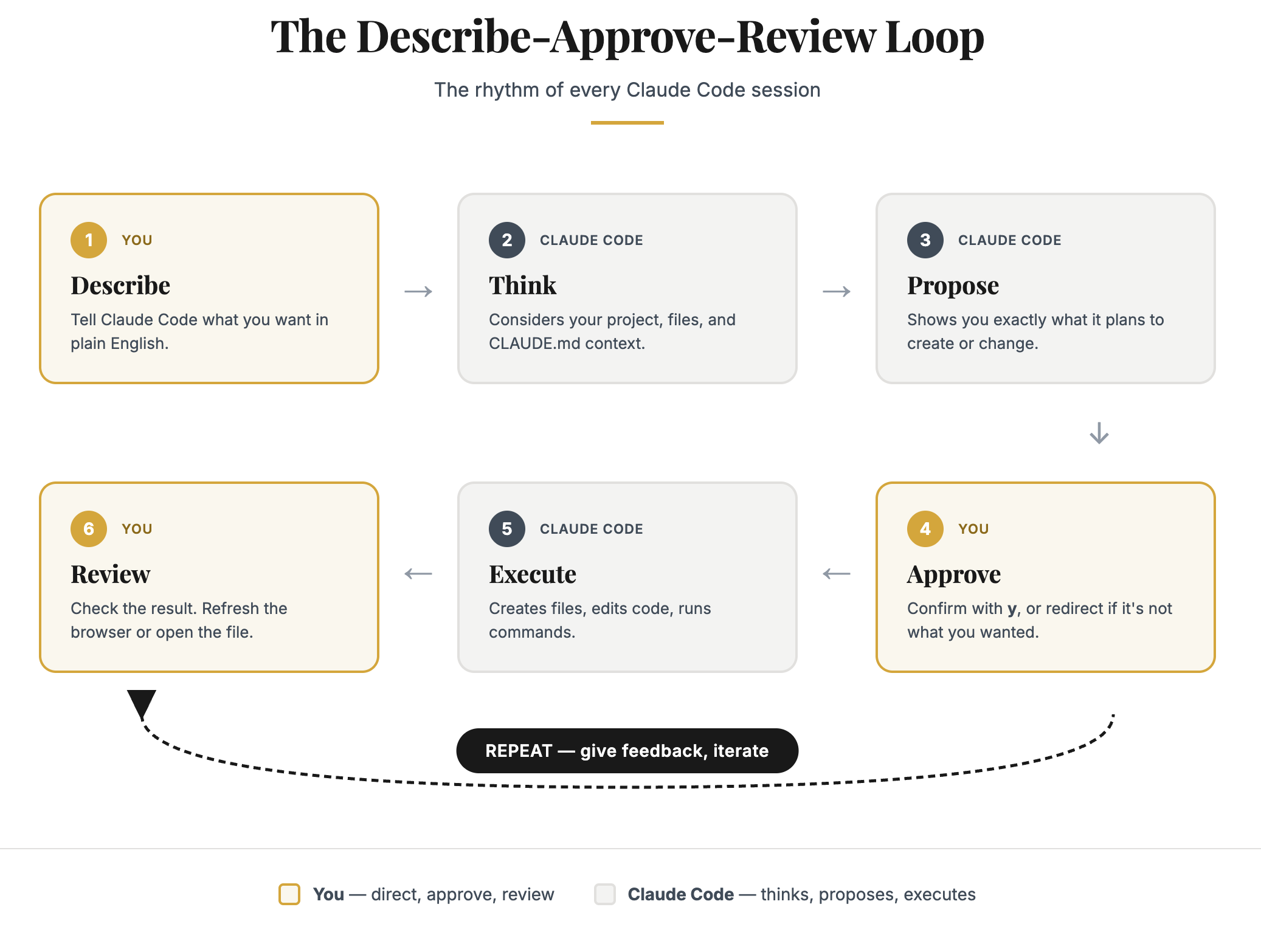
Prompt patterns, spec documents, iteration, and common mistakes.
You’ll finish with A calculator app
Choose a project, write a spec, build and polish a complete application. Plus: skills and using Claude Code to test your work.
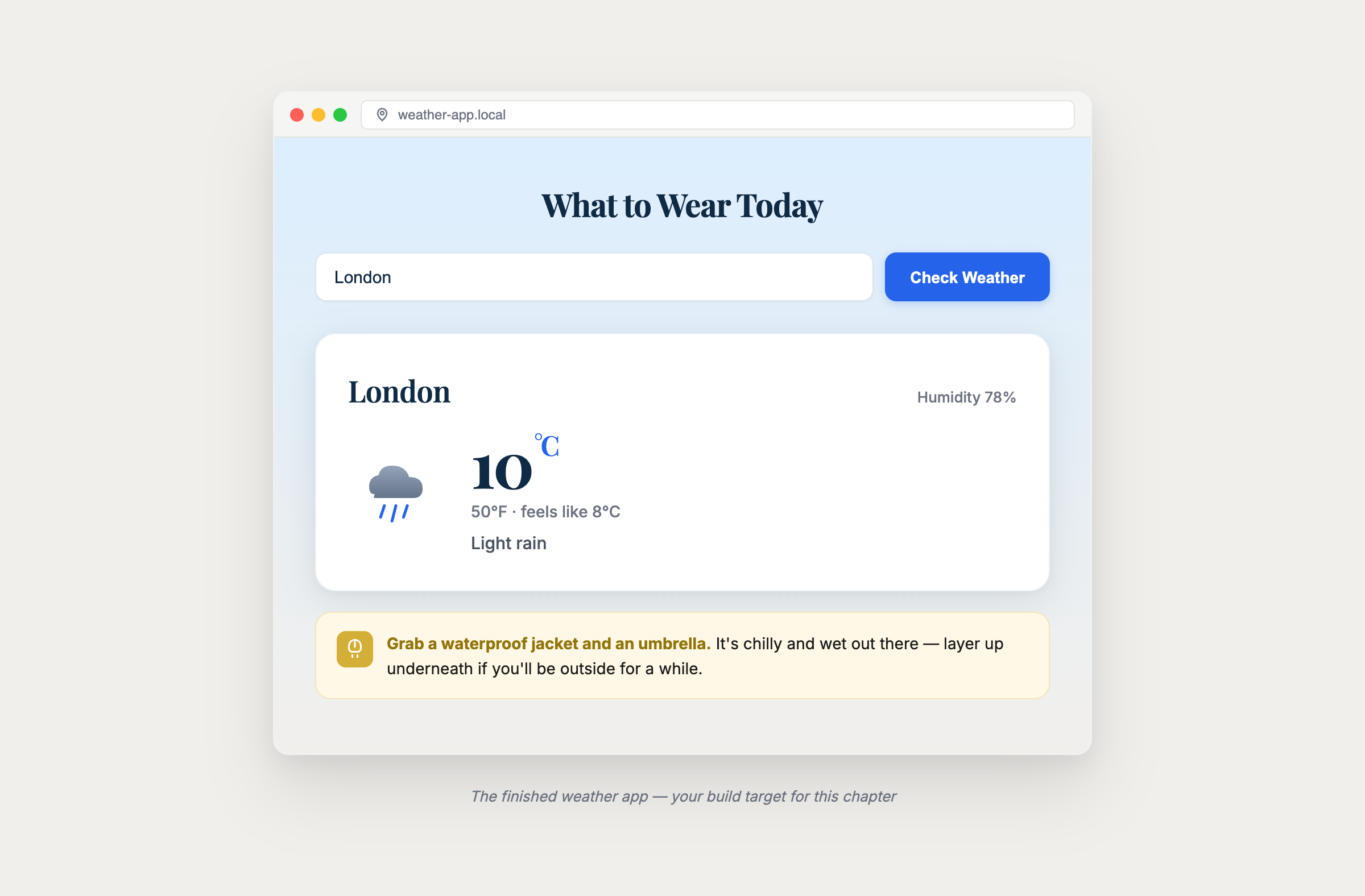
You’ll finish with A weather app that says what to wear, plus a memory game
Connect your apps to live data and external services.
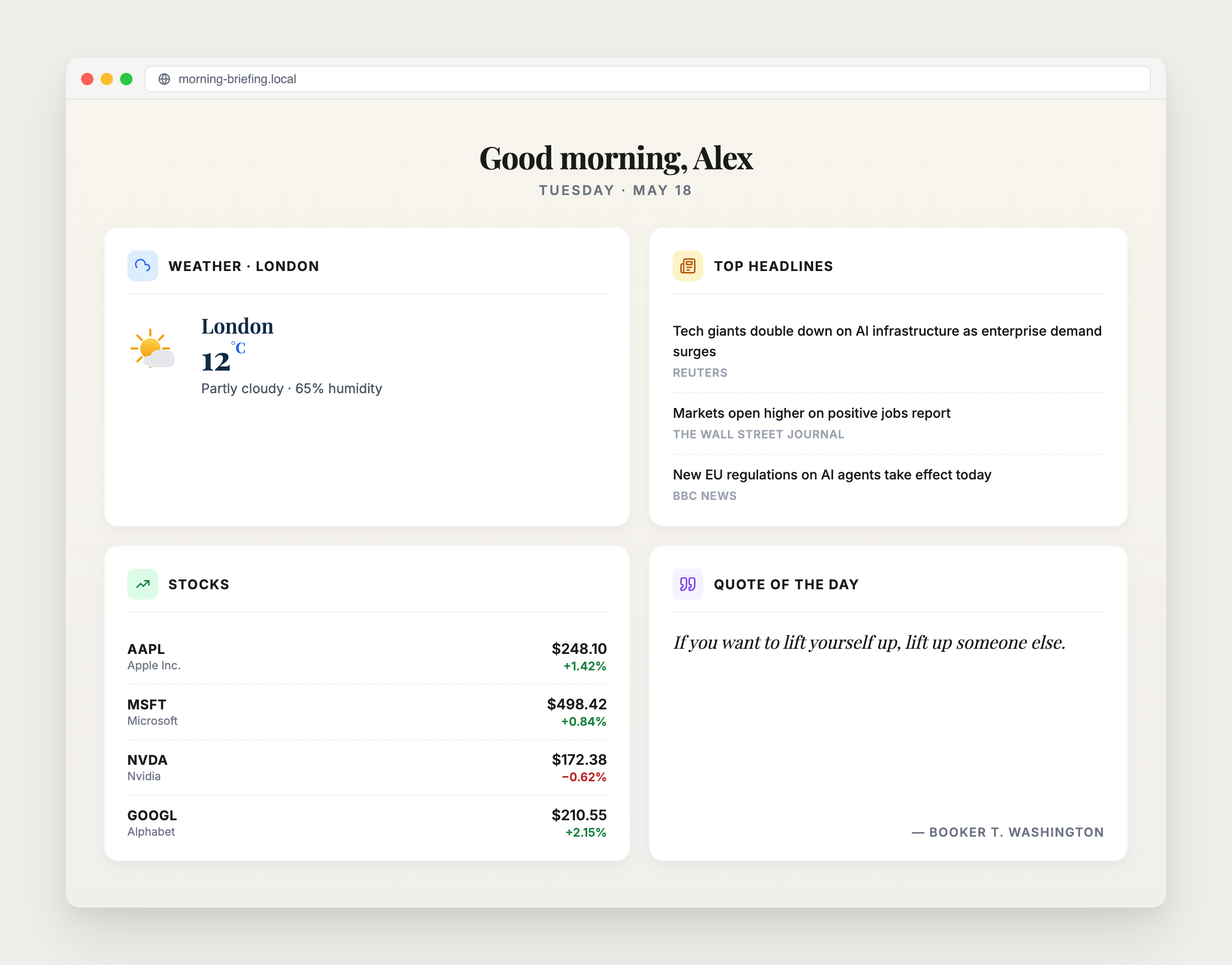
You’ll finish with A Morning Briefing dashboard fed by four live data services
Reading error messages, troubleshooting, and fixing problems.
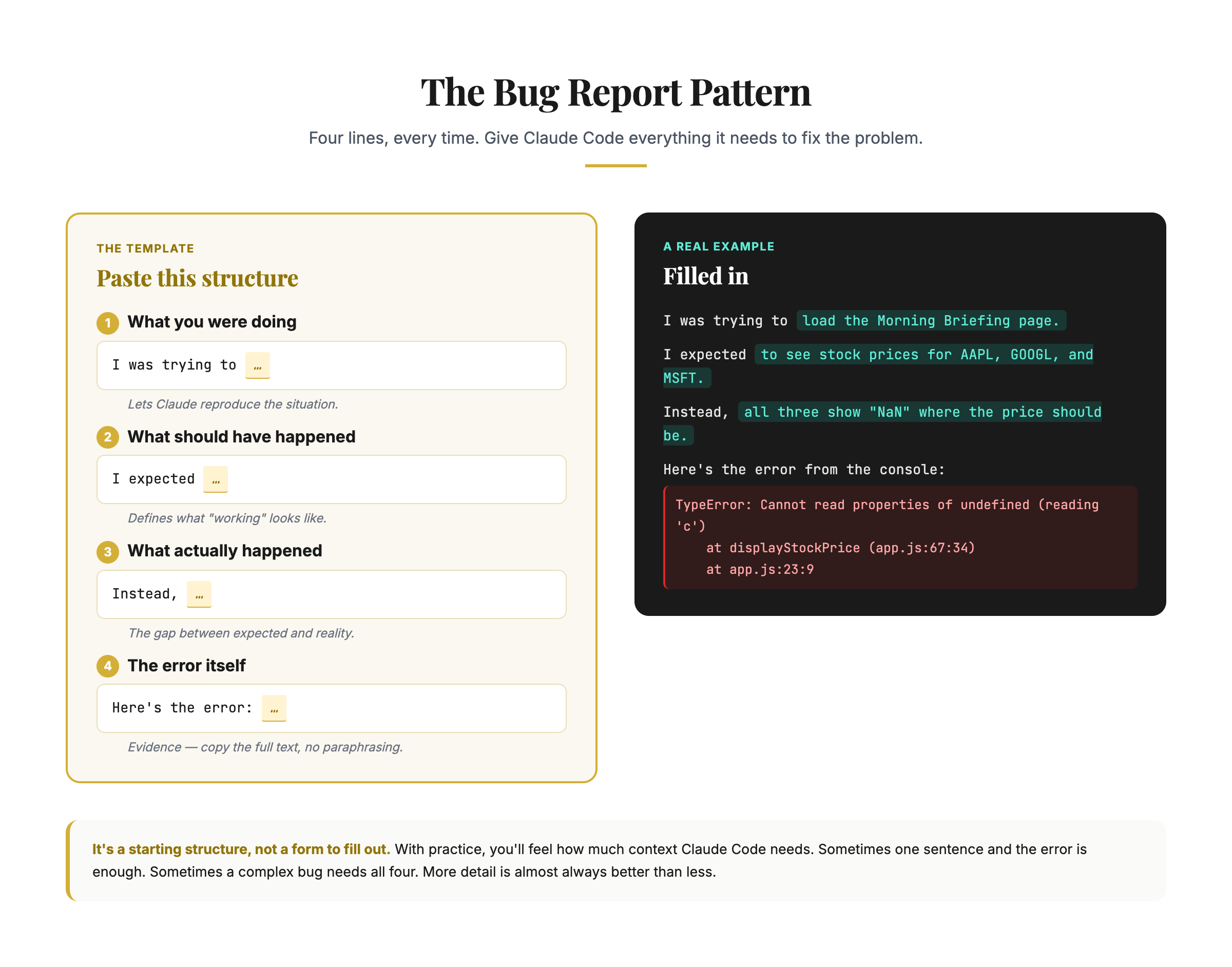
You’ll finish with A four-line bug report that gets Claude Code to fix what broke
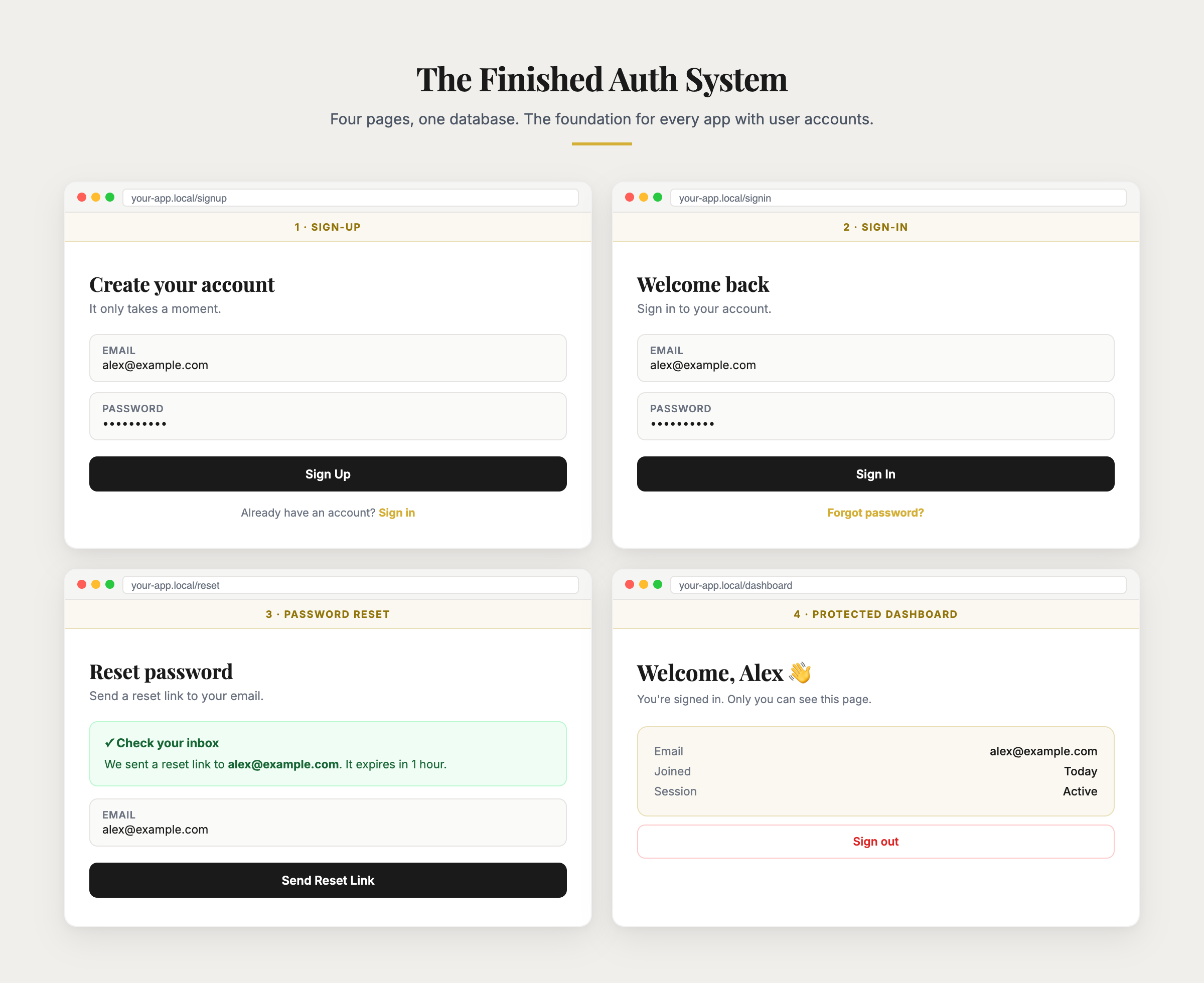
Build user authentication with a database and email service. Understand backends, deploy with Vercel + Neon.
You’ll finish with Sign-up, sign-in and password reset, with a database and email
Get your application onto the internet securely so others can use it.
You’ll finish with Your app live on the internet, on your own domain if you want one
Design, build, and ship a complete product from scratch. Introduces MCP servers, agent teams, and browser automation as power tools.
You’ll finish with Your own product, planned, built and deployed
Resources, power features roadmap (hooks, custom skills, advanced MCP, multi-agent orchestration), and your continued growth.
You’ll finish with A portfolio page for everything you built, in ten minutes

Who wrote it
I make videos about AI tools on YouTube, and I build with Claude Code daily. Before that I spent eight years across McKinsey, enterprise software and frontier AI.
Chapter 1 has some of what I’ve built with it: a dashboard that keeps a client team’s KPIs up to date, an outreach tool that researches the hotels in a city, writes to them and tracks the replies, and a calorie tracker for a treadmill that won’t talk to my watch.
Three videos on building with AI
Questions
No. You describe what you want in plain English and Claude Code writes the code. The guide starts from zero: chapter 2 explains what a terminal is before you type anything into it, and chapter 7 shows you how to read an error well enough to tell Claude Code what broke.
Claude Pro at $20 a month, which you need for Claude Code. That’s the only running cost: the projects run on the free plans of GitHub, Vercel and the other services the guide uses. A custom domain is optional, at about $9 to $14 a year. The Claude API is only for apps that use AI themselves, and chapter 8 explains when you need it.
On any Mac or Windows computer. Chromebooks and tablets won’t work. Chapter 2 has the install steps for both, including the one extra download Windows needs first.
The videos show what’s possible. The guide is the version you work through in order, building as you go, with the prompts written out to copy and 44 figures. Most chapters end with something working on your own computer.
About 9 hours of reading across the 12 chapters. With the building, plan on one to two hours per chapter, at your own pace. The capstone in chapter 10 takes longer, because it’s your own product.
For good. It’s online, so you can read it on any device and pick up where you left off.
You get a full refund within 14 days of buying if you’ve opened two chapters or fewer. Chapter 2, the free one, doesn’t count. Email alex@theaibridges.com from the address you bought with. The full policy is on the refund page. Read it here.
Stripe emails a receipt as soon as you pay. If you need an invoice with company details, email alex@theaibridges.com.
12 chapters and 44 figures, with something to build in most of them and a certificate when you finish.
14-day refund if you’ve opened two chapters or fewer.